5g Home MINternet Setup
This page has everything you need, from getting your internet set up to helpful how-to videos and support articles.
Simple setup
You won't need a degree in electrical engineering. Just follow these steps and you'll be online shortly.
Ready, set... unbox
This is your internet starter pack, AKA everything you need before you start plugging things into other things.
included with certain models
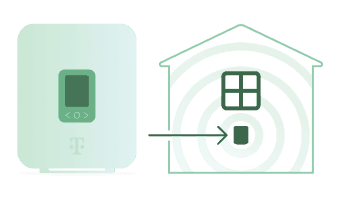
1. FIND THE PERFECT SPOT
Ideally, you want to put your 5G gateway near a window and close to a power outlet. If you have a second floor, even better. Avoid putting it next to big appliances or other wireless devices. Basically, give it room to breathe and do its thing.
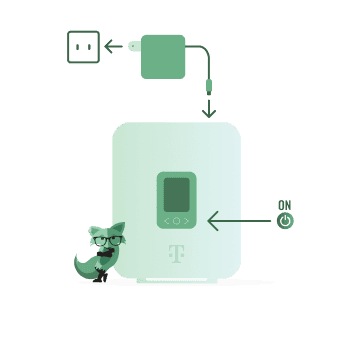
2. PLUG IT IN & POWER UP
Take the power cord and plug it into the gateway, then plug the other end into a wall outlet. After that, press the O button on the panel to turn it on.
Note: The gateway is connected when you see the signal bars. You don't need full bars for strong performance. If you see a prompt to download the T-Life app, you can ignore it.
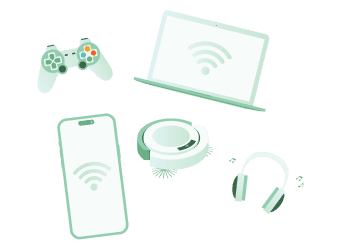
3. Connect your devices
On your phone, laptop or other device, go to Wi-Fi settings and look for your new network. The Wi-Fi name and password are printed on your gateway. Wi-Fi credentials can be customized later on.

4. Set up your account
Download the Mint Mobile app to create your account and customize your Wi-Fi settings.
When signing in for the first time, select Need help logging in? on the login screen, then tap Forgot password. Enter your username (sent to your email), Home MINTernet line number (shown on your gateway screen), or the phone number associated with your Home MINTernet account.
A confirmation code will appear on your gateway screen. Enter this code in the app, then continue following the on-screen instructions to complete account setup.
Gateway Support
We've got full user guides waiting for you.
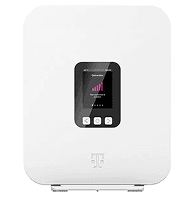
Images and shown accessories are for illustrative purposes only. Actual product and accessories may vary.
The Support After The Support
Need more help?

Chat With an Expert
Our Fox Bot is available 24/7